



-Feb-26-2026-03-32-07-5169-PM.png?width=1920&height=1080&name=New%20Spyce%20Blog%20Banners%20(1)-Feb-26-2026-03-32-07-5169-PM.png)
The Invisible Problem With Visible Consequences
Most business owners obsess over conversion rates, SEO rankings, and page speed. But there's a conversion killer hiding in plain sight that almost nobody talks about.
Your website probably has 297 accessibility barriers on every single page. Not hypothetically. That's the actual average from scanning 15,000 websites.
Each barrier is a moment where a potential customer hits a wall and leaves. No error message. No complaint. Just gone.
Nearly 1.6 billion people worldwide have disabilities affecting how they use websites. That's 1 in 5 people. Their families and friends who influence purchases? Add another third of global consumers.
Combined spending power: $18.3 trillion annually.
And while you're optimizing button colors and A/B testing headlines, this massive market segment can't even navigate your menu or complete your forms.
Over 4,500 accessibility lawsuits were filed in 2023, with 95% of businesses choosing to settle rather than fight.
You're simultaneously losing customers you don't know about and building legal exposure you can't see coming.
What Web Accessibility Actually Means
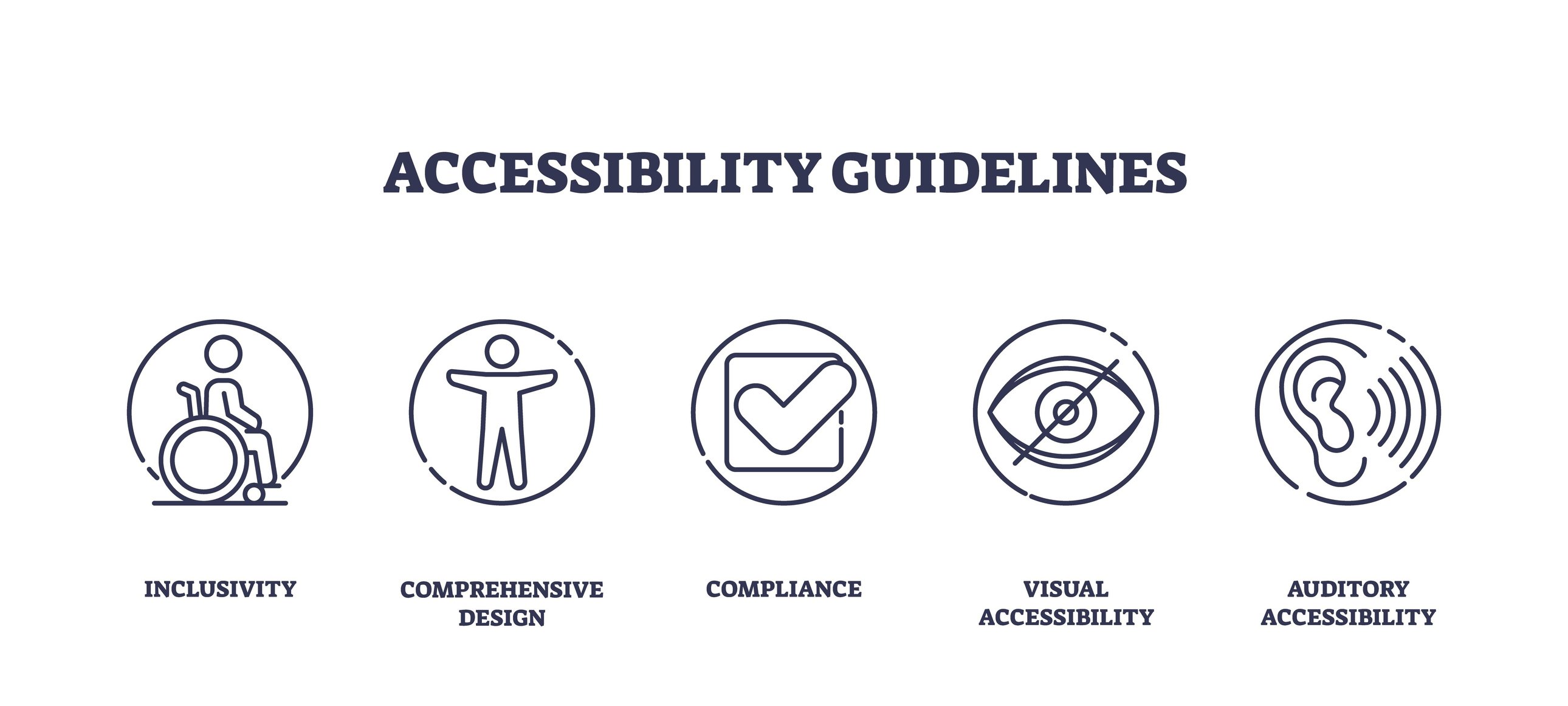
Let's clear up confusion. Web accessibility means people with disabilities can use your website effectively.
Common disabilities affecting website use:
-
Visual impairments: Blindness, low vision, color blindness. These users rely on screen readers (software that reads websites aloud) or need high contrast and large text.
-
Motor disabilities: Limited hand mobility, tremors, paralysis. These users might navigate entirely by keyboard or voice commands instead of a mouse.
-
Hearing impairments: Deafness or hearing loss. These users need captions for videos and visual alternatives to audio content.
-
Cognitive disabilities: Learning disabilities, memory issues, attention disorders. These users benefit from clear language, consistent navigation, and simple layouts.
-
Temporary disabilities: Broken arm, eye surgery recovery, concussion. Even temporary conditions create accessibility needs.
-
Situational limitations: Bright sunlight making screens hard to read, noisy environments preventing audio, one hand occupied holding a baby. Good accessibility helps everyone.
The Business Case: More Than Compliance
Most businesses only think about accessibility when threatened with lawsuits. That's backward.
The Revenue Opportunity
People with disabilities are fiercely loyal to brands that prioritize accessibility. When they find a website that works well, they return repeatedly and recommend it to their networks.
You're not just gaining individual customers. You're gaining entire networks of loyal buyers.
The Hidden User Base
Many people with disabilities don't identify themselves as such. They won't email saying "your website doesn't work for blind users." They'll just shop elsewhere.
You have no idea how many potential customers you're losing because inaccessible experiences are invisible failures.
SEO Benefits Come Free
Search engines reward accessible websites because many accessibility practices align with what search engines look for:
- Descriptive image alt text helps search engines understand visual content
- Clear heading structures organize information logically
- Meaningful link text provides context
- Video transcripts create searchable text
Better accessibility often means better search rankings.
The User Experience Improvement
Designing for accessibility forces clarity and simplicity that benefits everyone:
- Captions help people in loud or quiet environments
- Keyboard navigation speeds up power users
- Clear language improves comprehension universally
- Simple forms reduce abandonment for all users
Accessible websites typically see lower bounce rates and higher conversion rates across all users.
What Actually Makes Websites Inaccessible
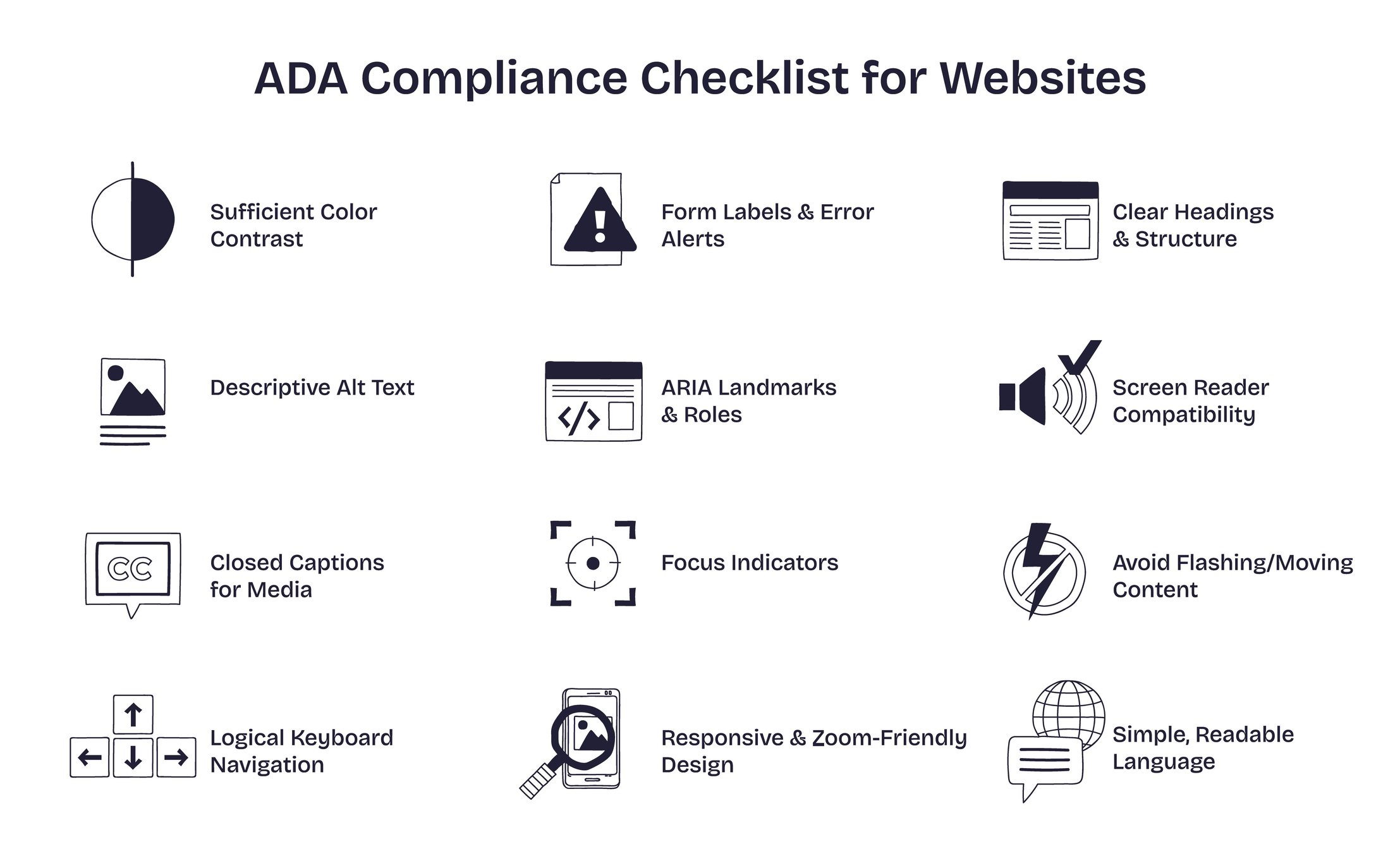
Understanding common problems helps businesses prioritize fixes.
Images Without Text Alternatives
Screen readers can't see images. If your images convey information but lack descriptive alt text, blind users miss that information entirely.
Real impact: Product photos without descriptions. Infographics with no text equivalent. Charts and graphs that are completely inaccessible.
The fix: Add descriptive alt text to every meaningful image. Decorative images get empty alt text so screen readers skip them.
Unlabeled Forms
Screen readers need form fields properly labeled. Without labels, users don't know what information each field requires.
Real impact: Checkout forms where users can't tell which field is for email vs. phone. Contact forms where screen readers just say "edit text" without context.
The fix: Properly associate labels with form fields. Provide clear error messages explaining how to fix mistakes.
Poor Keyboard Navigation
Some users can't use a mouse at all. They navigate entirely by keyboard. If your website requires mouse clicks or hovering, they're locked out.
Real impact: Dropdown menus that only open on hover. Buttons that don't respond to keyboard activation. Forms where tab key doesn't move logically between fields.
The fix: Ensure all interactive elements work with keyboard only. Provide visible focus indicators showing where keyboard is currently positioned.
Links That Say "Click Here"
Screen reader users often navigate by jumping between links. Generic link text like "click here" or "learn more" provides no context about destination.
Real impact: A screen reader might announce "link, click here, link, learn more, link, click here" without explaining where any links lead.
The fix: Use descriptive link text: "View pricing plans" instead of "click here," "Download 2026 accessibility guide" instead of "download PDF."
Videos Without Captions
Deaf users and those in sound-sensitive environments can't access audio content without text alternatives.
Real impact: Product demonstrations, testimonial videos, and training content completely inaccessible to deaf users.
The fix: Add accurate captions to all videos. Provide transcripts for audio-only content like podcasts.
Color-Only Information
Color blind users can't distinguish information conveyed only through color differences.
Real impact: Forms where errors are indicated only by red text. Charts where data series are distinguished only by color. Status indicators using only color coding.
The fix: Always pair color with another indicator like text, icons, or patterns.
Mobile-Specific Issues
64% of web traffic comes from mobile, but mobile accessibility often gets overlooked.
Real impact: Touch targets too small to tap accurately. Text too small to read without zooming. Forms that don't work on mobile keyboards.
The fix: Design mobile-first with large touch targets, readable text sizes, and forms optimized for mobile input.
The Legal Reality You Can't Ignore
Lawsuits aren't theoretical anymore. They're a daily business reality.
The Numbers
- 4,500+ accessibility lawsuits filed in 2023
- 4,000 cases tracked in 2025 alone
- 90% filed by just 16 law firms
- 95% of cases settle (usually within 6 months)
- 94.8% of top websites still have detectable violations
Why Businesses Settle
Defending accessibility lawsuits costs more than settling:
- Legal fees escalate quickly
- Cases drag on for months
- Outcomes are unpredictable
- ADA allows plaintiffs to recover attorney fees
- State laws in California and New York allow actual damages
Most businesses pay settlements of $10,000 to $50,000 plus commit to fixing their websites.
How Lawsuits Work
Understanding how these lawsuits work helps businesses protect themselves:
Who files: Most cases involve visually impaired plaintiffs using screen readers who allegedly couldn't complete basic tasks like checkout or reservations.
What they claim: Inability to access products, make purchases, or use core website features. Complaints reference WCAG (Web Content Accessibility Guidelines) as the industry standard.
Where they file: Increasingly in state courts (especially California and New York) rather than federal courts due to stricter standing requirements federally.
Why serial plaintiffs exist: The ADA empowers individuals to act as "private attorneys general" without notifying businesses first. This creates incentive for attorneys to file multiple cases.
No Federal Standard Yet
Unlike physical ADA requirements (ramps, accessible counters), no definitive federal standard exists for website accessibility.
This ambiguity means:
- Businesses aren't sure exactly what compliance requires
- Even businesses trying to fix issues get sued again
- Courts use WCAG as de facto standard despite it not being law
- Compliance is ongoing, not one-time
Global Regulations Are Tightening
U.S. lawsuits get attention, but global regulations are forcing action.
Europe: European Accessibility Act
Now in effect, the EAA requires any company offering goods or services in the EU to meet accessibility standards.
Consequences for non-compliance:
- Fines
- Investigations
- Potential market exclusion
For businesses expanding globally, accessibility is the price of entry.
United States: ADA Title II
New rules under Title II require state and local governments to ensure websites and mobile apps meet WCAG 2.1 Level AA standards.
Impact on businesses: Companies contracting with government agencies must meet these standards or lose contracts.
Procurement Requirements
More companies and government agencies now require proof of accessible websites before awarding contracts. When organizations post RFPs (Request for Proposals), they're increasingly adding accessibility requirements to the checklist.
Can't show your website meets WCAG standards (Web Content Accessibility Guidelines)? You're automatically eliminated from consideration, regardless of how good your actual services are.
What Businesses Should Do Now
Reactive fixes after lawsuits are expensive. Proactive accessibility is strategic.
Step 1: Audit Your Current State
Conduct a comprehensive audit identifying:
- Images missing alt text
- Forms without proper labels
- Videos lacking captions
- Navigation that doesn't work by keyboard
- Poor color contrast
- Confusing link text
- Mobile usability issues
Use both automated tools and manual testing. Automated scans catch technical issues but miss context. Real user testing reveals actual barriers.
Step 2: Prioritize Based on Impact
Fix high-impact issues first:
- Core user journeys (homepage to checkout)
- Forms required for purchases or contact
- Navigation affecting entire website
- Content accessed frequently
Lower priority:
- Archived content
- Internal-only pages
- Secondary features
Step 3: Build Accessibility Into Processes
Make accessibility standard practice:
- Train designers on accessible design patterns
- Train developers on accessible code
- Train content creators on alt text and clear language
- Include accessibility in QA checklists
- Review vendor tools for accessibility compliance
Step 4: Document Everything
Maintain records of:
- Audit findings and dates
- Remediation plans and timelines
- Testing results
- Training provided
- Ongoing monitoring
Documentation demonstrates good faith if litigation occurs and organizes improvement efforts.
Step 5: Publish an Accessibility Statement
A public statement showing:
- Your commitment to accessibility
- Standards you're working toward (WCAG 2.1 Level AA)
- Known issues and remediation plans
- Contact for reporting accessibility problems
This demonstrates you're taking accessibility seriously and provides process for users to report issues before filing lawsuits.
Step 6: Test With Real Users
Automated tools miss critical issues only real users discover:
- Hire accessibility testers with actual disabilities
- Watch screen reader users navigate your website
- Observe keyboard-only users completing tasks
- Test with users having various disabilities
Nothing replaces watching real people struggle with barriers you didn't know existed.
The Cost of Waiting
Every day you wait to address accessibility:
Lost revenue: Customers leaving because your website doesn't work for them
Legal exposure: Lawsuits can arrive without warning
Missed opportunities: Contracts requiring accessibility compliance
Competitive disadvantage: Accessible competitors capturing market share
The Return on Disability Group warns: "There remains a small window to lead, but this will close unless leaders choose to act immediately."
Early movers gain market share, reduce legal risk, and build brand reputation. Late movers face lawsuits, lost revenue, and expensive reactive fixes.
Accessibility Is Business Strategy
Stop thinking about accessibility as compliance overhead. Start thinking about it as market expansion.
You're not just avoiding lawsuits. You're:
- Reaching 1.6 billion potential customers
- Building loyalty in an underserved market
- Improving user experience for everyone
- Strengthening SEO performance
- Future-proofing against tightening regulations
The businesses winning long-term aren't reacting to accessibility requirements. They're proactively building inclusive experiences that work for everyone.
Because every person who can't use your website is choosing your competitor instead.
Ready to Make Your Website Work for Everyone?
If your website hasn't been professionally audited for accessibility, you're almost certainly sitting on hundreds of issues costing you customers right now.
Schedule a Free Consultation Call Today to identify barriers, prioritize fixes, and build a roadmap for making your website accessible to all customers.
Stop losing revenue to an invisible problem with a visible solution.